 Aug 30, 2026
Table of Contents
AI is changing how software teams write, review, plan, and manage development work. DORA’s 2025 research found that 90% of technology professionals use AI at work, and more than 80% report productivity gains. Yet the same research shows that AI can amplify weaknesses in an engineering organization as easily as it amplifies strengths.
That makes the question more complicated than simply choosing the best AI coding assistant. The top systems to optimize dev team output with AI should improve the broader development workflow—from coding and testing to planning, collaboration, measurement, and team management.
This guide examines 10 systems that can help engineering teams increase output without treating developer productivity as a simple measure of how much code gets produced.
Key Takeaways
- AI coding assistants can accelerate implementation, but code review and quality controls remain essential.
- Planning, analytics, collaboration, and feedback systems can improve productivity beyond the IDE.
- Developer output should be measured through delivery, quality, and developer-experience metrics—not lines of code alone.
- AI works best when connected to an existing engineering workflow rather than deployed as isolated tools.
- When AI improves efficiency but the team still lacks capacity, flexible developer augmentation can help close the gap.
What Makes an AI System Useful for Dev Teams?
The most useful AI systems reduce repetitive work, improve engineering decisions, and fit into the team’s existing development workflow.
AI adoption alone does not guarantee better software delivery. DORA describes AI as an amplifier: it can strengthen effective organizational practices but also magnify existing weaknesses.
For engineering leaders, a useful AI system should therefore meet four criteria:
It reduces repetitive work
AI can automate or accelerate activities such as code generation, documentation, test creation, ticket summarization, and routine analysis. The goal is to reduce low-value effort without removing necessary engineering judgment.
It improves decision-making
AI becomes more valuable when it helps teams identify bottlenecks, prioritize work, understand incidents, or spot risks—not just generate code.
It connects to the development workflow
An AI tool that operates separately from the team’s repository, project-management system, CI/CD pipeline, or documentation creates additional context switching. Integrating AI into existing workflows can make its output more actionable.
It produces measurable outcomes
Teams should evaluate whether AI improves outcomes such as cycle time, delivery speed, software quality, reliability, or developer experience. DORA’s research specifically warns that increased AI adoption can improve throughput while also creating delivery instability when underlying engineering practices are weak.
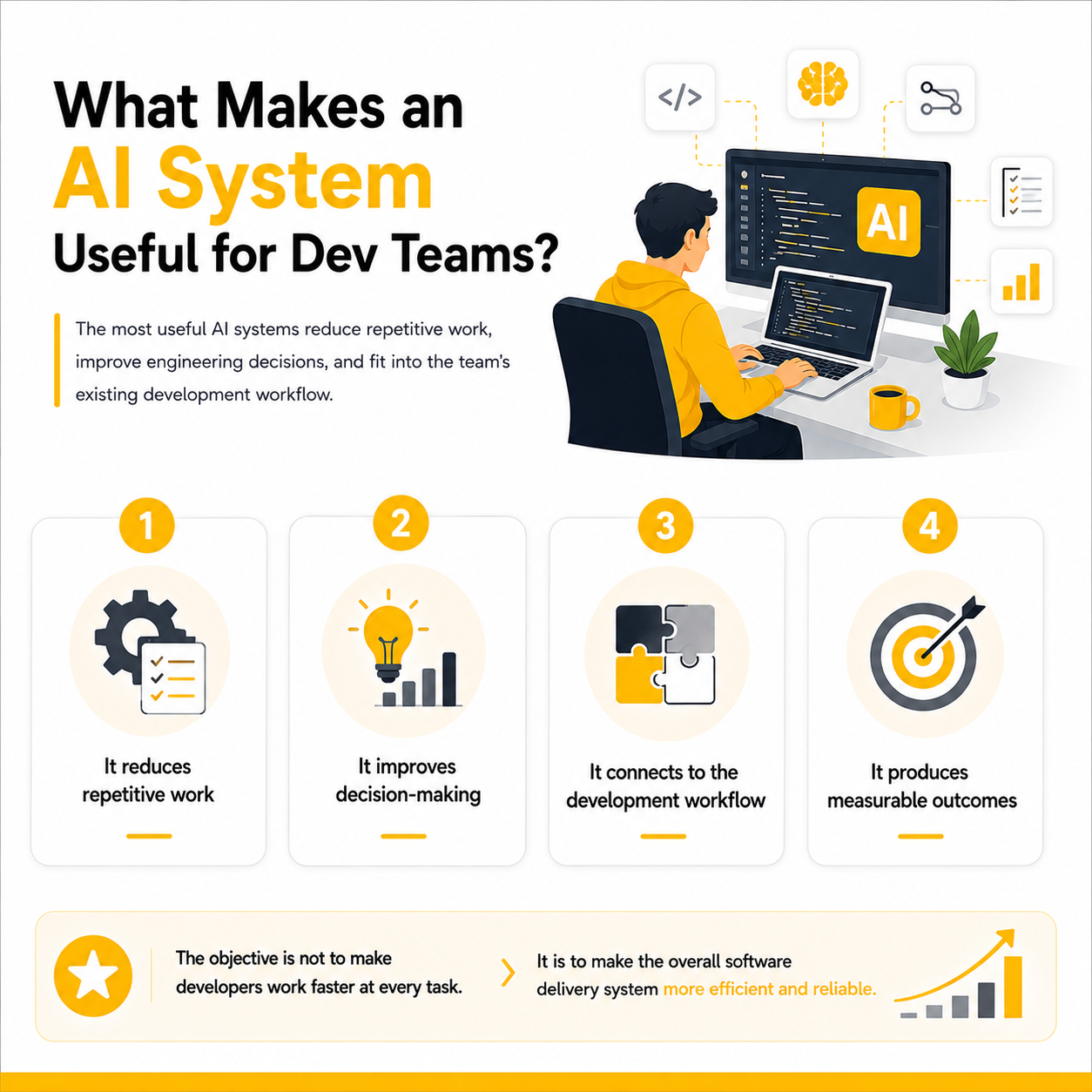
In other words, the objective is not to make developers work faster at every task. It is to make the overall software delivery system more efficient and reliable.
1. AI Coding Assistants
AI coding assistants can speed up implementation by generating code, explaining unfamiliar code, suggesting fixes, and handling repetitive development tasks.
They are useful across several day-to-day activities:
- Code completion and generation
- Refactoring
- Debugging
- Unit-test creation
- Documentation
- Explaining unfamiliar libraries or codebases
The productivity impact can be substantial for certain tasks. In a controlled experiment involving 95 professional developers, the group using GitHub Copilot completed a JavaScript coding task 55.8% faster than the control group. However, this was a specific experimental task, not a guarantee of the same gain across every project or developer.
For engineering managers, the more important question is where coding assistance removes bottlenecks. Developers can use the time saved on implementation for architecture, testing, code review, and other higher-value work.
AI coding assistants should therefore be treated as developer acceleration systems, not autonomous programmers. Generated code still needs appropriate review, testing, security checks, and integration with the team’s existing engineering standards.
2. AI-Powered Code Review and Testing Systems
AI code review and testing systems help teams catch defects and quality issues earlier while reducing repetitive review and test-generation work.
These systems can assist with:
- Pull-request analysis
- Bug and vulnerability detection
- Test-case generation
- Code quality checks
- Regression testing
- Identifying potentially risky changes
This becomes increasingly important as AI coding tools increase the amount of code developers can produce. DORA’s 2026 analysis notes that AI accelerates initial code generation, but the time saved can be shifted toward auditing and verification.
The practical goal is not to automate human code review completely. Instead, AI can act as an additional quality layer that highlights suspicious changes before reviewers spend time examining them manually.
Teams should also connect these systems to CI/CD pipelines where possible. This allows testing and quality checks to happen consistently rather than depending on developers remembering to run them.
3. AI Engineering Planning and Analytics Systems
AI engineering analytics systems turn development data into insights about workload, bottlenecks, delivery risks, and team capacity.
Instead of reviewing tickets and dashboards manually, engineering managers can use AI to identify patterns such as:
- Work accumulating in specific stages
- Unbalanced workloads
- Delayed or high-risk tasks
- Increasing cycle times
- Recurring delivery bottlenecks
- Capacity and planning issues
This is especially valuable for larger teams where activity data is spread across issue trackers, repositories, CI/CD platforms, and project-management tools.
When evaluating these platforms, focus on whether they connect engineering activity to delivery outcomes, rather than simply counting commits or completed tickets. Recent research on AI-era developer productivity similarly argues that traditional volume-based measures can become misleading as AI increases the amount of code developers can produce.
For a deeper evaluation framework, see our guide on how to choose AI analytics software for engineering team planning.
4. AI Project and Task Management Systems
AI project management systems reduce coordination work by helping teams prioritize tasks, summarize requirements, and identify delivery risks.
Instead of manually reviewing every ticket or sprint update, AI can help with:
- Task prioritization
- Ticket classification and summarization
- Dependency identification
- Sprint planning
- Automated status updates
- Delivery-risk detection
The value is particularly clear when developers spend significant time switching between tickets, meetings, messages, and documentation. AI can consolidate this information and surface what requires attention.
However, AI-generated priorities should remain recommendations rather than automatic decisions. Product priorities depend on customer impact, technical constraints, and business goals that may not be visible in engineering data.
This also makes workflow integration important. DORA’s research warns that fragmented tooling and disconnected workflows can reduce the benefits of AI, while strong internal platforms and clear workflows help teams get more value from it.
5. AI Documentation and Knowledge Management Systems
AI knowledge systems help developers find and understand technical information without repeatedly asking teammates or searching across disconnected resources.
They can support:
- Code and API documentation
- Requirements summaries
- Meeting notes
- Architecture documentation
- Internal knowledge bases
- Natural-language search across technical resources
This can be especially useful for onboarding and legacy systems. Developers can use AI to summarize unfamiliar codebases, explain dependencies, or locate relevant documentation before making changes.
DORA’s 2026 research found that developers use AI to bridge knowledge gaps and synthesize fragmented documentation, logs, and source files into more actionable information.
The main limitation is information quality. If documentation is outdated or AI cannot access the right internal context, its answers can be incomplete or misleading. Teams should therefore connect AI to trusted, maintained sources and make it clear when an answer is based on incomplete information.
6. AI Collaboration and Visual Feedback Systems
AI-powered collaboration systems can shorten the feedback loop between developers, designers, product teams, and stakeholders.
For web and application teams, visual feedback tools can help organize:
- UI and UX comments
- Bug reports
- Screenshots and annotations
- Design-to-development feedback
- Review status
- Client or stakeholder requests
AI can further reduce coordination work by summarizing feedback, grouping similar issues, and helping teams identify which items require developer action.
This matters because developer productivity is not only about what happens inside the IDE. Microsoft’s 2025 SPACE of AI research found that developers generally report productivity and efficiency benefits from AI, but the evidence for improved collaboration is less clear. The researchers also emphasize organizational support and peer learning as important factors in realizing AI’s value.
For teams working heavily on web projects, our guide to visual feedback software for web development teams covers how these systems can make design and development feedback more structured.
7. AI Developer Performance and Engineering Metrics Systems
AI analytics can help engineering leaders understand delivery performance, bottlenecks, and team workload without reducing productivity to code volume.
Useful systems can analyze signals such as:
- Cycle and lead time
- Deployment frequency
- Review time
- Rework and failure rates
- Work distribution
- Developer experience
DORA recommends measuring both throughput and delivery instability, including change lead time, deployment frequency, change fail rate, and recovery-related metrics.
This is particularly important with AI-assisted development. If developers generate code faster but reviews, testing, or deployment become bottlenecks, simply counting completed tasks can create a misleading picture of productivity.
For a broader framework, see our guide to KPIs for software developers.
8. AI Systems for Incident Management and DevOps
AI-powered DevOps systems help developers spend less time diagnosing operational problems and more time improving the product.
They can assist with:
- Alert summarization
- Log analysis
- Incident classification
- Root-cause investigation
- Anomaly detection
- Troubleshooting recommendations
For example, instead of manually reviewing hundreds of logs after an outage, an AI system can correlate relevant events and produce an initial incident summary for the engineering team.
This becomes increasingly important as AI accelerates code generation. DORA’s research finds that AI can increase delivery throughput while also increasing instability when engineering foundations are weak.
The goal is therefore not simply to deploy more code. It is to shorten the path from development to reliable production software.
9. AI Systems for Engineering Team Management
AI can support engineering managers by making workload, capacity, and delivery risks easier to see across the team.
Potential applications include:
- Workload analysis
- Capacity planning
- Skill and resource visibility
- Identifying blocked work
- Summarizing team updates
- Detecting recurring delivery risks
AI should support—not replace—engineering management. Team performance depends on factors that are difficult to infer from activity data alone, including technical complexity, mentoring, collaboration, and individual circumstances.
Research from Microsoft examining AI through the SPACE framework found that developers generally report greater efficiency and satisfaction from AI, while evidence of improved collaboration is less clear. The study also emphasizes organizational support and peer learning.
Managers can combine AI-generated insights with established practices for managing software teams to make better decisions without turning productivity monitoring into individual surveillance.
10. AI + Flexible Developer Capacity
AI can make an existing team more productive, but it cannot always solve a capacity or skills gap.
A team may still need additional developers when:
- A major release creates temporary workload
- A project requires skills the current team lacks
- Multiple initiatives compete for the same engineers
- AI improves efficiency but demand grows even faster
In these situations, companies can combine AI-enabled workflows with flexible development capacity. An offshore development center can provide a practical model when organizations want to start with just 1–2 developers and scale the team as project requirements change.
How to Measure Whether AI Actually Improves Dev Team Output
AI adoption should be measured by improvements in delivery, quality, flow, and developer experience—not simply by how much code the team produces.
A useful measurement framework should combine several types of indicators:
| Area | Example metrics |
| Delivery | Lead time, deployment frequency |
| Quality | Defect rate, failed changes, rework |
| Flow | Code review time, blocked work |
| Developer experience | Satisfaction, focus, perceived productivity |
| AI adoption | Usage, task coverage, accepted suggestions |
| Business impact | Release speed, product performance |
DORA recommends looking at software delivery performance alongside factors such as code quality, review time, documentation, technical debt, and product performance.
This matters because AI can make developers faster at generating code without necessarily making the whole delivery system faster. DORA’s 2026 research notes that AI can accelerate initial code generation while shifting more time toward auditing and verification. Higher AI adoption was associated with both increased delivery throughput and increased delivery instability.
Don’t measure developers by code volume
Lines of code, commit counts, or AI-generated code accepted are poor standalone measures of productivity. A developer who produces less code may be solving a complex architecture problem, reducing technical debt, or preventing future defects.
Instead, compare team-level outcomes before and after AI adoption. This makes it easier to determine whether the technology is actually improving the engineering system rather than simply increasing activity.
How to Build an AI-Enabled Development Workflow
The best results come from integrating AI into an existing engineering workflow instead of adding disconnected tools.
Start with one measurable bottleneck
Identify where the team loses the most time:
- Slow code reviews
- Repetitive implementation
- Poor sprint planning
- Difficult incident investigation
- Fragmented documentation
- Excessive feedback cycles
Choose one workflow and establish a baseline before introducing AI.
Connect AI to existing systems
AI becomes more useful when it can work with the team’s actual context, including repositories, issue trackers, documentation, CI/CD pipelines, and monitoring systems.
DORA’s 2025 research describes AI adoption as a systems problem rather than simply a tooling problem, emphasizing practices such as strong version control, accessible internal data, healthy data ecosystems, and quality internal platforms.
Establish human review and governance
Define which AI outputs developers can accept directly and which require review. This is particularly important for production code, security-sensitive changes, architecture decisions, and customer data.
Microsoft Research’s 2025 study of more than 500 developers found that AI was widely perceived to improve efficiency and satisfaction, but benefits varied by task complexity and team adoption. The researchers also found less evidence of improvement in collaboration, reinforcing the importance of organizational support and peer learning.
Review results and expand gradually
After the pilot, compare delivery and quality metrics against the baseline. If the system improves one metric while creating a bottleneck elsewhere, adjust the workflow before expanding AI across the organization.
AI Tools vs. Building a Stronger Development System
AI tools can accelerate individual tasks, but sustainable developer output depends on the wider system surrounding those tools.
| Approach | Main benefit | Limitation |
| AI coding tools | Faster implementation | Doesn’t fix planning or coordination |
| AI analytics | Better engineering visibility | Depends on reliable data |
| AI collaboration | Faster feedback | Doesn’t solve team capacity |
| AI management | Better workload visibility | Requires human leadership |
| Developer augmentation | Adds capacity and expertise | Adds people cost |
This distinction is increasingly important as AI adoption becomes widespread. DORA’s research found that AI’s primary role is as an amplifier: organizations with strong engineering practices can gain more from it, while weak processes can become more visible and costly.
The practical goal, therefore, is not to find one AI tool that makes developers faster. It is to build a development system where planning, coding, testing, collaboration, operations, and team capacity work together efficiently.
FAQs About AI Systems for Developer Productivity
What are the top systems to optimize dev team output with AI?
The most useful systems typically cover coding, testing, planning, engineering analytics, documentation, collaboration, DevOps, and team management. The right combination depends on where a team currently loses the most time.
How does AI improve developer productivity?
AI can reduce repetitive work such as code generation, documentation, testing, information retrieval, and incident analysis. A 2025 Microsoft Research study of more than 500 developers found that AI was broadly perceived to improve productivity, particularly for routine tasks, although its impact varied by task complexity and team adoption.
Should developers be measured by AI-generated code or commits?
No. Code volume and commit counts do not reliably represent engineering value. Teams should combine delivery, quality, reliability, flow, and developer-experience metrics to understand whether AI is improving actual outcomes.
Can AI replace software developers?
AI currently works better as an augmentation layer than a replacement for engineering teams. Developers still provide architecture decisions, context, validation, problem-solving, and accountability. Microsoft Research’s 2025 study similarly found evidence that AI is augmenting developers rather than replacing them.
Should a development team use multiple AI systems?
Potentially, but only when each system solves a clear problem. Adding too many disconnected tools can increase context switching and create fragmented workflows. DORA recommends focusing on the underlying engineering system—including internal platforms, data, version control, and workflows—rather than treating AI tools as the solution by themselves.
How should companies start using AI across their development teams?
Start with one measurable bottleneck, establish a baseline, introduce AI into that workflow, and compare the results. Once the team can demonstrate better outcomes without compromising quality or stability, expand AI into other parts of the software development lifecycle.
Conclusion
The top systems to optimize dev team output with AI are the ones that improve the entire engineering workflow—not just the speed of writing code.
AI coding assistants can accelerate implementation, while AI systems for planning, testing, analytics, collaboration, DevOps, and team management address bottlenecks around the developer. The strongest results come when these capabilities are connected to solid engineering practices, reliable data, clear workflows, and appropriate human oversight.
For companies facing both productivity and capacity challenges, technology and people can also work together. AI can improve how efficiently a team operates, while flexible engineering capacity can provide additional skills when project requirements change.
AMELA helps companies build and scale development teams through flexible delivery models, including offshore development center services that can start with 1–2 developers and scale as requirements evolve.